Best Minecraft Case Simulator: Free Online Unblocked Guide
Imagine the rush of cracking open a mystery chest in your favorite sandbox world, only to pull out a shiny diamond sword or a stack of enchanted golden apples. That’s the heart of Minecraft Case Simulator. If you’re tired of grinding for loot the old-fashioned way, this is your ticket to instant excitement.
In this guide, I’ll dive deep into everything you need to know: from free online versions you can play anywhere (even unblocked at school) to cool mods that bring the action right into your Minecraft world. Stick around, and you’ll be a virtual tycoon in no time.
What Exactly Is a Minecraft Case Simulator?
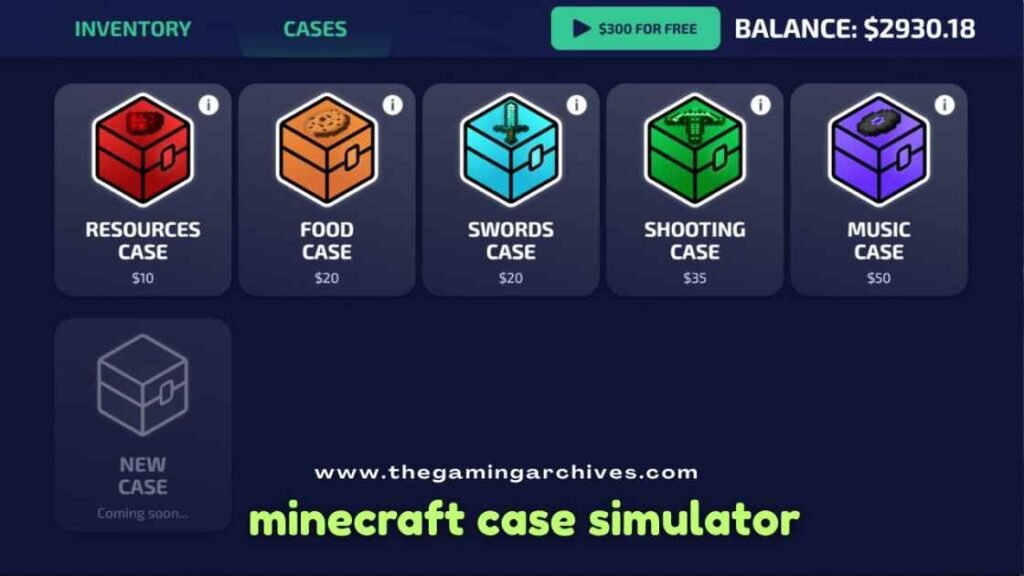
Picture this: You’ve played shooters like CS: GO, where opening cases feels like a gamble with big rewards. Now, swap guns and knives for pickaxes, armor, and glowing blocks. A Minecraft Case Simulator takes that thrill and plops it into the pixelated universe of Minecraft.
These simulators let you open virtual “cases” packed with themed loot. Items pop out at random, ranging from basic dirt blocks to legendary netherite gear. Sell the junk, keep the gems, and buy fancier cases. It’s addictive because every click could change your in-game fortune.
Why do players love it? Minecraft’s endless creativity mixes perfectly with the dopamine hit of unboxing. No need to mine for hours; just pure chance and strategy. Popular ones mimic real case openings with spinning animations, sound effects, and a virtual economy.
But it’s not all rainbows. Some folks call it a “money waste simulator” because common items flood your inventory. Still, that chase for gold rarity keeps you coming back.
The Roots: From CS: GO to Minecraft Magic
Case opening started in competitive shooters’ years ago. Fans wanted the same vibe in Minecraft, so clever creators built browser games and mods. Early versions used command blocks for simple maps. Today, smooth online simulators dominate, with mods adding depth for Java Edition players.
Key appeal? It’s free, quick to jump into, and fits Minecraft’s loot-hunting spirit. Whether you’re a kid dodging homework or an adult unwinding, it scratches that itch.
Top Minecraft Case Simulator Options to Try

Not all simulators are equal. Some shine in browsers for instant fun, others integrate as mods for immersive play. Let’s break down the best ones without the fluff.
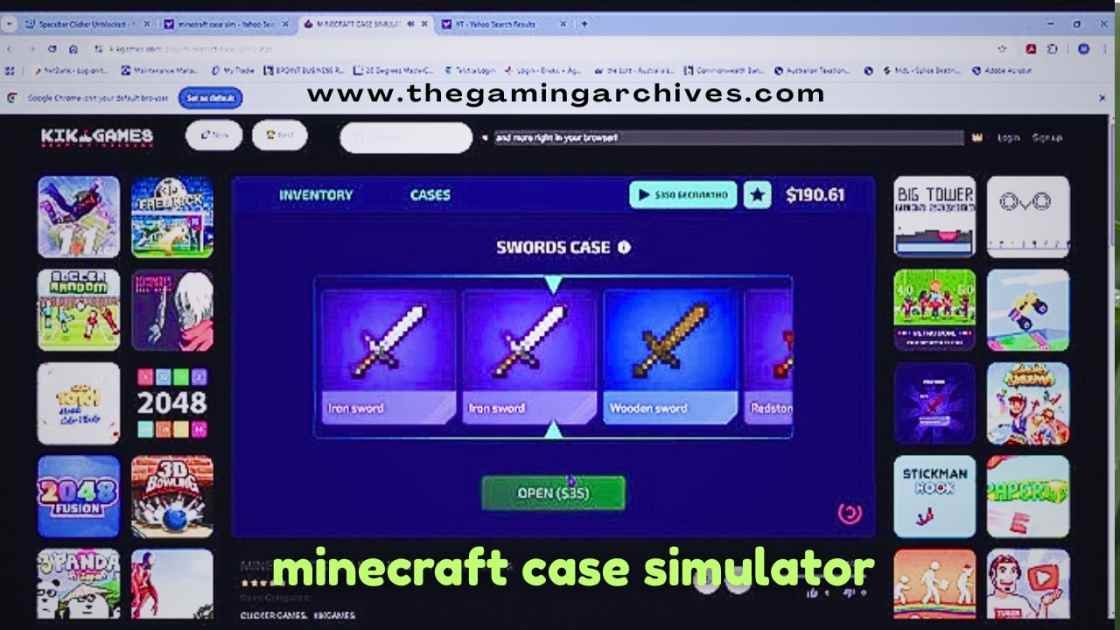
Browser-Based Minecraft Case Simulator (Free Online Play)
These are the easiest entry points. Load up in any browser, no downloads needed. Perfect for quick sessions.
- Core Gameplay: Start with starter coins. Pick a case, watch it spin, and unbox items. Five rarity levels decide your haul.
- Economy Loop: Sell duds for cash. Buy premium cases with higher rare odds.
- Why It’s Great: Runs smoothly on phones, laptops, and even school computers if unblocked.
Players report hitting billionaire status after smart selling. One session: Open 10 cheap cases, sell commons, upgrade to mid-tier. Boom, epics start dropping.
Mods That Turn Minecraft Into a Case Heaven
For true fans, mods embed simulators in your world. Install via Forge or Fabric launchers.
Lucky Cases Mod
This classic drops cases into your inventory every 10 minutes. Craft keys from iron ingots and sticks, then open for random loot from vanilla or modded items.
- How It Feels: Like free loot boxes raining down. Great for survival worlds.
- Loot Variety: Tools, armor, blocks, food. The rarer the key type, the better the odds.
- Pro Tip: Farm iron early. Keys cost little but unlock big.
Supports older versions, with updates like ReCased for newer Minecraft.
Configurable Cases Mods
Mods like “Cases” let you craft custom loot boxes. Edit JSON files to set rarities, enchantments, and pools.
- Power Move: Make a “diamond-only” case for testing farms.
- Multiplayer Friendly: Syncs across servers.
- Rarity Tweaks: Common (50% enchant chance) to ultra-rare (10%).
Ideal for servers wanting unique events.
Community Creations: Maps and Command Blocks
Old-school fans love “Money Waste Simulator”-style maps. Download a world file, load it, and use commands to open CS: GO-style cases with Minecraft skins.
- Simple Setup: One-time download, instant play.
- Custom Twists: Some add trading or upgrades.
- Downside: Dated graphics, but pure nostalgia.
These paved the way for modern versions.
How to Play Minecraft Case Simulator Step by Step

Ready to dive in? Here’s a numbered guide for each type.
For Online Browser Versions
- Search for a free Minecraft Case Simulator and load it.
- Check your starting balance (usually 1,000-5,000 coins).
- Browse case types: Cheap (low rares), premium (high odds).
- Click “Open” – watch the animation!
- Inventory fills: Sell grays/whites immediately.
- Reinvest in better cases. Repeat till rich.
Takes 2 minutes to learn, hours to master.
Installing and Playing Mods
- Download Forge for your Minecraft version.
- Grab the mod file (Lucky Cases or Cases).
- Drop into the mods folder, launch the game.
- In-game: Wait for a case drop or craft one.
- Make key: Crafting table > iron ingots + sticks.
- Right-click the case with the key. Loot spills out!
Test in creative first.
Command Block Maps
- Load the world in singleplayer.
- Find the opening station.
- Insert virtual cash or keys.
- Activate – enjoy the spin.
Key Features That Make It Addictive
Every good simulator packs these punches:
- Spinning Animations: Tense build-up with lights and sounds.
- Inventory Management: Sort, sell, showcase rares.
- Upgrade Paths: Better cases = better loot.
- Daily Rewards: Free cases to hook you back.
- Sound Effects: That “cha-ching” on gold hits.
Some add themes: Nether cases for fiery loot, ocean for prismarine gear.
Understanding Rarity Tiers in Minecraft Case Simulator
Rarities use colors like Minecraft enchantments. Here’s a breakdown:
| Rarity Level | Color | Drop Chance (Approx.) | Example Items | Sell Value |
| Common | Gray/White | 80% | Dirt, Wood Planks, Stone Pickaxe | Low (10-50 coins) |
| Uncommon | Green/Blue | 15% | Iron Sword, Wool Blocks, Leather Armor | Medium (100-500) |
| Rare | Blue/Purple | 4% | Diamond Axe, Enchanted Book, Emeralds | High (1k-5k) |
| Epic | Pink/Light Purple | 0.9% | Netherite Ingot, Elytra, Potion of Luck | Very High (10k-50k) |
| Legendary | Gold/Yellow | 0.1% | Fully Enchanted Netherite Armor, Totem of Undying | Jackpot (100k+) |
Chances vary by case. Premium ones boost epics/legendaries.
Comparison: Browser vs Mods vs Maps
| Feature | Browser Online | Mods (Lucky Cases/Cases) | Command Block Maps |
| Accessibility | Instant, no install | Needs launcher | World download |
| Multiplayer | Solo only | Server-friendly | Singleplayer mostly |
| Customization | Low | High (JSON edits) | Medium |
| Device Support | Phone/PC | PC only | PC |
| Unblocked Ease | High (school sites) | Low | Low |
| Longevity | Quick fun | Endless replay | One-off |
Browser wins for casuals; mods for die-hards.
Pros and Cons of Minecraft Case Simulator
Pros:
- Totally free – no real money spent.
- Quick dopamine hits.
- Builds strategy skills (budgeting cases).
- Unblocked options everywhere.
- Fits any playstyle.
Cons:
- Heavy RNG – can frustrate with bad luck.
- Repetitive after hours.
- Mods need tech know-how.
- Virtual riches only – no real trades.
- Rare droughts test patience.
Balance it with regular Minecraft for the best results.
Tips and Tricks to Dominate Your Simulator
I’ve wasted (and won) thousands of virtual coins. Here’s what works:
- Start Small: Grind cheap cases. Sell everything but rares.
- Case Priority: Skip basics; save for 2x-5x rare boosters.
- Sell Smart: Commons fund upgrades. Hold one epic for collection.
- Daily Logins: Free cases stack up.
- Mod Tweaks: In Cases mod, boost enchant % for better flips.
- Luck Streaks: Quit on hot runs; restart cold ones.
- Key Farming: Auto-farms for iron in mod worlds.
- Themes Matter: Neither case = fire-resistant loot.
Pro players hit 1 billion by reinvesting 90% of sales.
Advanced Strategies
- Budgeting: Allocate 70% to opens and 30% to reserves.
- RNG Myths: No hot/cold cases – pure math.
- Collection Goals: Aim for full sets for bonus sales.
Finding Unblocked and Online Versions
Stuck at school? Unblocked Minecraft Case Simulator thrives on game portals. Search “minecraft case simulator unblocked” – loads instantly, no VPN.
Online free play is seamless: No sign-ups, ad-light, mobile-friendly. Perfect for breaks.
Hypixel fans ask: Are there any server versions? Community maps exist, but are not official. Stick to solos or mod servers.
Why the Community Loves It
Forums buzz with screenshots of god rolls. Reddit threads share mod packs. It’s a gateway for newbies to Minecraft’s depth.
Pairs great with roleplay: “Billionaire miner” skins.
Final Thoughts
Minecraft Case Simulator blends luck, strategy, and blocky charm into pure fun. From browser quickies to mod marathons, free unblocked online play awaits. Master rarities, smart-sell, and chase those golds – your empire starts now.
Grab a free version today, share your biggest unboxing in the comments. What’s your dream loot? Let’s chat!
FAQ
What is Minecraft Case Simulator?
A free game/mod where you open virtual cases for Minecraft items, sell them, and buy better ones. Like CS: GO unboxing in blocks.
How do I play unblocked at school?
Search for unblocked versions on game sites. They bypass filters for instant browser play.
Are there free online versions?
Yes, fully free browser games with no downloads. Start with starter coins.
What’s the best mod for case opening?
Lucky Cases for auto-drops; Cases mod for custom loot pools.
Can I get real money from it?
No, all virtual. Pure fun, no gambling.
How rare is legendary loot?
About 0.1% in premium cases. Patience pays off!
Does it work on mobile?
Browser versions, yes; mods need PC.
Hypixel case simulator?
No official, but community maps mimic it.