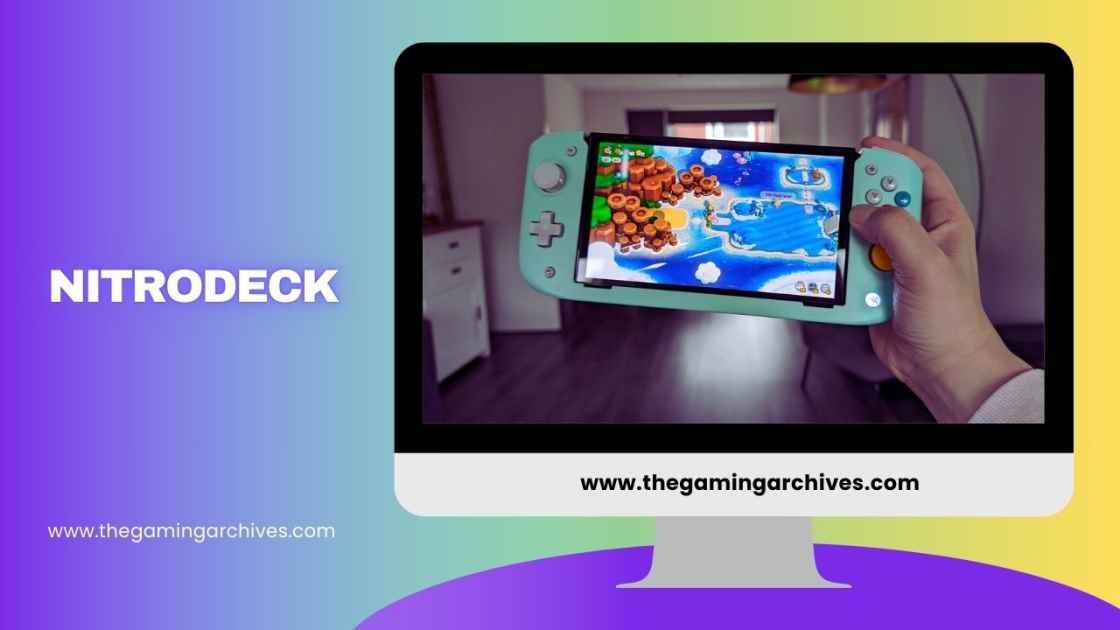
Nitrodeck Premium Handheld Deck for Switch
The nitro deck switch transforms handheld gaming on the Nintendo Switch. As a premium accessory, the crkd nitro deck offers enhanced comfort and control. It slides the Switch console into a full grip setup, mimicking devices like the Steam Deck. This makes extended play sessions more enjoyable.
With versions like Nitro Deck Plus and Nitro Deck 2, it caters to both current and future Switch users. Gamers in the USA and worldwide appreciate its build quality and features.
Why Choose Nitro Deck
Nitrodeck stands out for its focus on ergonomics and performance. It addresses common Joy-Con issues like discomfort and drift. Users report better immersion in games.
What is the Nitro Deck: Nintendo Switch Accessory Overview
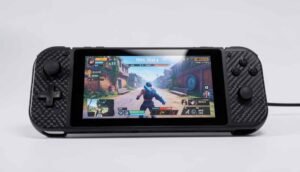
The crkd nitro deck is a professional handheld deck for Nintendo Switch and OLED models. It encases the Switch screen in a unified controller body. Key elements include Hall effect thumbsticks, back buttons, and vibration feedback. The Nitro Deck Plus adds symmetrical sticks and HDMI output. The Nitro Deck 2 extends compatibility to Nitro Deck Switch 2, with Bluetooth and removable controller features. Priced around $40 to $100, depending on model, it targets serious handheld players.
Core Design Elements
- Unified grip for stability.
- USB-C connection for low latency.
- Customizable controls.
How the Nitro Deck Works for Handheld Mode
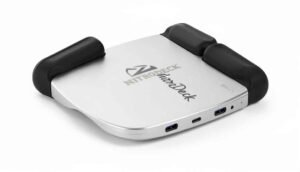
Slide the Nintendo Switch into the NitroDeck cradle. It connects via USB-C for direct input. Power passes through for charging during play. In handheld mode, it provides a bulkier but more comfortable form factor. The Nitro Deck Plus enables docked TV play via an HDMI adapter. For Nitro Deck 2, a retractable lock secures the console, allowing seamless transitions.
Step-by-Step Functionality
- Insert Switch: Align and slide in.
- Power On: Use Switch buttons.
- Play: Enjoy enhanced grips and sticks.
Key Features of the Nitro Deck Controller
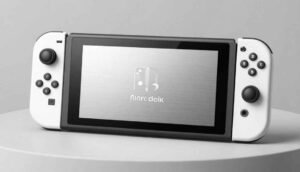
The crkd nitro deck boasts zero stick drift thanks to Hall effect sensors. It includes re-mappable back buttons for custom actions. Vibration and gyro support enhance immersion. Swappable thumbstick toppers allow personalization. The nitro deck plus introduces programmable sidekick buttons and a symmetrical layout. Nitro deck 2 adds Bluetooth connectivity, extra bumpers, and PC/mobile compatibility.
Highlighted Features List
- Hall Effect Thumbsticks: Precise, drift-free.
- Back Buttons: Four re-mappable for shortcuts.
- Ergonomic Grips: Contoured for comfort.
- Pass-Through Charging: Play while powering up.
- Kickstand: Stable for tabletop mode.
Benefits of Upgrading to Nitro Deck from Joy-Cons
Switching to NitroDeck eliminates Joy-Con drift issues. It offers better ergonomics, reducing hand cramps. Controls feel more responsive with full-size sticks. The crkd nitro deck adds back buttons for advanced gameplay. Compared to Joy-Cons, it’s sturdier and supports longer sessions. Users note improved precision in games like shooters or platformers.
Top Upgrade Advantages
- No Drift: Lasts longer without repairs.
- Comfort: Larger grips suit adult hands.
- Customization: Tailor buttons to your style.
- Versatility: Works in multiple modes.
Nitro Deck Ergonomics and Comfort for Extended Gaming
The nitro deck switch prioritizes comfort with contoured grips. It distributes weight evenly, reducing fatigue. The nitro deck plus shifts to symmetrical sticks for natural thumb placement. Reviews highlight how it feels like a pro controller in handheld form. For extended gaming, it minimizes wrist strain. Nitro deck 2 refines this with the offset right stick for better reach.
Ergonomic Improvements
- Grip Shape: Fits hands securely.
- Weight Balance: Prevents tipping.
- Button Layout: Easy access without stretching.
Hall Effect Thumbsticks: Zero Stick Drift in Nitro Deck
Hall effect technology in the crkd nitro deck uses magnetic sensors for input. This eliminates mechanical wear, preventing drift. Unlike traditional potentiometers in Joy-Cons, it’s durable. Users praise consistent accuracy over time. The nitro deck 2 enhances this with CaptiStick for energy efficiency and interference resistance.
Benefits of Hall Effect
- Longevity: No degradation.
- Precision: Smooth, accurate control.
- Reliability: Ideal for competitive play.
Nitro Deck Compatibility with Nintendo Switch, OLED, and Switch 2
The original nitrodeck works with standard Switch and OLED. It uses a secure cradle fit. The nitro deck plus maintains this while adding docked features. Nitro deck switch 2 compatibility comes via Nitro deck 2, which is backward compatible. It includes a legacy adapter for older models. All versions support firmware updates for ongoing compatibility.
Compatibility Breakdown
- Standard Switch: Full support.
- OLED: Enhanced screen protection.
- Switch 2: Optimized with a retractable lock.
Nitro Deck Versions, Models, and Latest Updates
The lineup starts with the original crkd nitro deck, available in colors like black. The Nitro Deck Plus, released in 2024, adds HDMI and symmetrical sticks. As of 2026, Nitro Deck 2 launches for Switch 2, with Bluetooth and a removable centerpiece. Updates include firmware for rumble adjustments and bug fixes. Limited editions, like Rocket League or LRG Fusion, offer unique designs.
Version Comparison Table
| Feature | Original Nitro Deck | Nitro Deck Plus | Nitro Deck 2 |
| Stick Layout | Asymmetrical | Symmetrical | Offset Right |
| Connectivity | USB-C | USB-C + HDMI | Bluetooth + USB |
| Compatibility | Switch/OLED | Switch/OLED | Switch 2 + Backward |
| Extra Buttons | 4 Back | 4 Back + 2 Side | 4 Back + 2 Bumpers |
| Price (USD) | $40 | $70 | $100 |
Nitro Deck vs. Other Nintendo Switch Handheld Grips
Compared to the Hori Split Pad Pro, Nitrodeck offers no-drift sticks and a unified design. Vs. Satisfy ZenGrip, which adds programmable buttons. Mumba Grip is cheaper but lacks advanced features. RetroFlag provides retro aesthetics, but the crkd nitro deck excels in comfort. Nitro deck plus outshines Nexigo in build quality. Overall, Nitrodeck wins for premium feel.
Competitor Analysis
- Hori Split Pad: Bulkier, no back buttons.
- Mumba: Affordable, basic ergonomics.
- Satisfye: Good grip, less customization.
- Comfort Edge: Nitrodeck’s contours.
- Feature Set: More advanced controls.
- Durability: Hall effect superiority.
Nitro Deck Setup and Usage Guide
Unbox the Nitro Deck switch and insert your console. Connect via USB-C. Download firmware from official sources for updates. Program back buttons by holding the program key and assigning. Adjust rumble and triggers in settings. For Nitro Deck Plus, attach an HDMI for docked play. Nitro deck 2 setup includes Bluetooth pairing for PC.
Setup Steps
- Insert Console: Slide securely.
- Update Firmware: Via USB connection.
- Customize: Map buttons.
- Charge: Use the pass-through port.
- Play: Test in game.
Pros and Cons of Nitro Deck from User Reviews
Pros include exceptional comfort and no drift. Users love the sturdy build. Cons mention bulkiness and original stick placement. Some report minor scratches on the Switch’s back. Nitro deck plus fixes ergonomics, earning higher ratings. Overall, 4.5/5 from reviews.
Pros List
- Comfortable for hours.
- Responsive controls.
- Versatile modes.
Cons List
- Adds weight.
- Potential scratches.
- Higher price.
Real User Experiences and Feedback on Nitro Deck
Gamers share positive stories of comfort during long sessions. One user praised Nitro Deck 2 for Switch 2 compatibility. Feedback highlights improved Mario Kart precision. Some criticize the original model’s right stick for shooters. Worldwide users appreciate firmware updates fixing rumble.
User Testimonials
- “Transformed my handheld play.” – USA gamer.
- “No more cramps.” – Global reviewer.
- “Best upgrade ever.” – Competitive player.
Where to Buy the Nitro Deck
Find crkd nitro deck at major retailers like Amazon, Best Buy, or GameStop in the USA. Worldwide, check electronics stores or the official CRKD site. Look for bundles with cases. Prices vary by model; original starts low, nitro deck 2 at premium.
Final Thoughts on the Nitro Deck
The nitrodeck elevates Nintendo Switch gaming. With versions like Nitro Deck Plus and Nitro Deck Switch 2, it’s future-proof. Ideal for handheld enthusiasts seeking comfort and precision.
FAQs
Q. What is stick drift, and how does nitrodeck prevent it?
Stick drift is unwanted input from wear. Hall effect sensors avoid this.
Q. Is nitro deck compatible with the Switch Lite?
No, designed for standard and OLED.
Q. How to update firmware?
Connect to the PC and follow the official guide.
Q. Does Nitro Deck 2 work on PC?
Yes, via Bluetooth.
Q. What colors are available?
Black, clear, limited editions like silver.