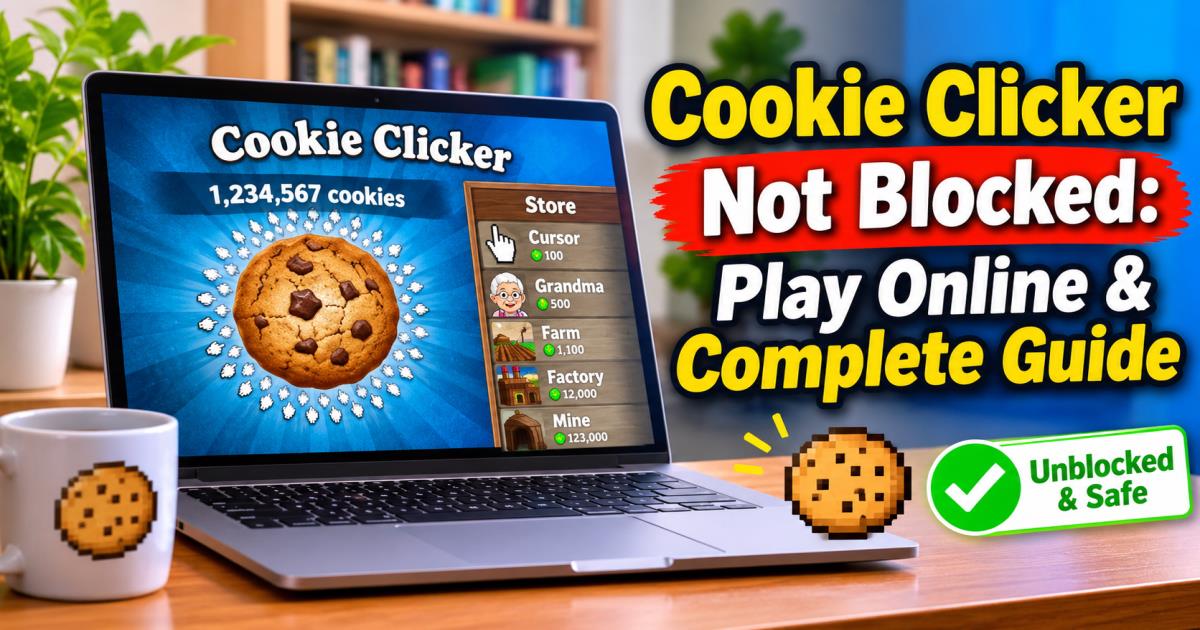
Cookie Clicker Not Blocked: Play Online & Complete Guide
You can play cookie clicker not blocked right now in any standard web browser by opening the official developer site at orteil.dashnet.org/cookieclicker/, an authorized partner portal like Coolmath Games, or clean web mirrors hosted on GitHub Pages and Google Sites when school or office firewalls block the main domain. Because the game runs entirely on client-side HTML5 and JavaScript, your browser loads the bakery in seconds without downloads, plugins, or account sign-ups.
One crucial detail separates seasoned players from beginners who lose weeks of progress: browser local storage isolation. Every mirror URL stores your bakery data in its own isolated browser vault, meaning your progress never transfers automatically between sites unless you manually export your save string. Throughout this guide, we will cover how browser mirrors work on school Chromebooks, how GoGuardian filters traffic, and how to back up your save string so you never lose a single cookie.
What is Cookie Clicker Not Blocked?
Meaning of Cookie Clicker Not Blocked
The phrase cookie clicker not blocked describes browser-playable copies of the classic incremental game that stay reachable on restricted networks. Schools, public libraries, and corporate offices run network firewalls that block traditional gaming websites. Players search for unblocked access to find either an official domain allowed by their administrator or a third-party mirror hosted on a neutral cloud platform that firewalls have not flagged as entertainment.
How the Browser-Based Cookie Game Works
French indie developer Julien “Orteil” Thiennot released Cookie Clicker in August 2013 under DashNet. Instead of streaming heavy graphics from a distant server, the game sends lightweight HTML, CSS, and JavaScript files straight to your browser tab. Your device calculates every cookie, building multiplier, and Golden Cookie timer locally, keeping the game responsive even on older school laptops.
Original Cookie Clicker vs. Unblocked Versions
While unofficial mirrors look nearly identical to the original dashboard, three practical differences affect your gameplay:
| Feature | Official Version (orteil.dashnet.org) | Third-Party Unblocked Mirrors |
| Game Build | Always runs the newest patch (v2.058+) | Often runs older archived builds (v2.031 or v2.048) |
| Minigames & Events | Full Garden, Stock Market, Pantheon, Grimoire, and seasonal events | Occasional missing sprites or frozen holiday events |
| Save Reliability | Reliable local storage plus clean text export codes | Progress disappears if the mirror URL shuts down |
| Page Layout | Clean three-column screen with one modest side ad | Ranges from ad-free GitHub pages to cluttered portal frames |
Who Typically Searches for Unblocked Cookie Clicker?
Students on school-issued Chromebooks make up the largest share of players, usually opening the game during lunch, study hall, or homeroom. Office workers also search for browser mirrors during short breaks because corporate IT policies prohibit installing programs like Steam on company computers.
How to Play Cookie Clicker Not Blocked Online
Finding the Original Cookie Clicker Game
Test the official DashNet link (orteil.dashnet.org/cookieclicker/) or cookieclicker.com before trying third-party clones. Playing on Orteil’s official domain gives you accurate production math, seasonal holiday updates, and zero risk of tampered code.
Opening the Game in a Web Browser
Starting a bakery takes less than ten seconds:
- Open Google Chrome, Microsoft Edge, Mozilla Firefox, or Apple Safari.
- Enter the official address or a trusted mirror link in the top bar and press Enter.
- Wait two to three seconds for the large chocolate chip cookie to load on the left panel.
- Click the big cookie once to verify the counter climbs from zero to one.
Basic Controls and Gameplay Instructions
You only need a mouse, trackpad, or touchscreen to run your bakery. Clicking the giant cookie generates one cookie per tap at the beginning of a run. Once you collect 15 cookies, the Cursor unlocks on the right-hand store menu. Buying buildings automates baking every second, while square upgrade icons above the store multiply both your click strength and building output.
Playing Without Downloading Additional Software
Legitimate browser builds of Cookie Clicker never ask you to download an .exe, .dmg, .apk, or .zip archive. The entire simulation runs inside your active tab. If a page demands that you install a custom launcher or media player before showing the bakery, close that tab right away.
Compatible Browsers and Devices
Modern versions of Chrome, Firefox, Edge, Brave, and Safari render the game cleanly. Desktop monitors and school Chromebooks offer the best view because the three-column workspace—cookie on the left, stats and minigames in the middle, store on the right—fits side by side without horizontal scrolling.
Cookie Clicker Not Blocked at School: What You Should Know
Why Schools Restrict Access to Browser Games
School districts filter gaming domains for three concrete reasons: conserving Wi-Fi bandwidth for classroom testing, preventing distractions during lectures, and blocking malicious pop-up ads found on unregulated gaming directories.
Can Cookie Clicker Work on School Chromebooks?
Yes. School Chromebooks run Chrome OS, which executes JavaScript games natively without extra software. Even an entry-level Chromebook with 4GB of RAM runs Cookie Clicker smoothly, though leaving the tab active all day will noticeably drain your battery.
How School Network Filters Affect Game Access
District firewalls sort web traffic by domain category rather than inspecting individual lines of JavaScript. When an administrator blocks the “Games” category, dashnet.org stops loading immediately. However, code-hosting platforms like GitHub Pages or educational workspaces often stay open because teachers rely on them for daily lessons.
Playing During Permitted Breaks and Free Periods
If you play Cookie Clicker and it’s not blocked at school, keep your sessions strictly limited to lunch, study hall, or free time after finishing classwork. Respecting classroom boundaries keeps you out of detention and prevents teachers from adding new mirrors to the blocklist.
What to Do When the Game is Restricted
Avoid installing proxy extensions or free VPNs on a school device, as those tools violate student technology agreements and trigger immediate IT alerts. Instead, check whether an approved educational portal like Coolmath Games loads on your network, or export your save string at home and continue your bakery after school.
Cookie Clicker Not Blocked on Google Sites
What Are Google Sites Game Versions?
Players frequently search for cookie clicker not blocked google sites because sites.google.com is a core Google Workspace tool used for student portfolios and teacher class pages. Schools rarely block the main Google Sites domain because doing so would cut off legitimate homework assignments.
How Third-Party Cookie Clicker Copies Appear on Google Sites
Google Sites does not store raw game scripts directly on its servers. Instead, student curators insert an <iframe> window that pulls an open-source copy of Cookie Clicker from GitHub Pages, Vercel, or an archived web directory. Hubs such as Classroom 6x organize dozens of these embedded frames into simple navigation menus.
Differences Between Google Sites Copies and the Original Game
Because an embedded <iframe> points to a frozen snapshot of the source code, Google Sites copies rarely receive Orteil’s newest patches. External links to Orteil’s Patreon or Discord community also fail to open inside restricted frames.
Potential Limitations of Unofficial Versions
Remember our earlier warning about browser local storage isolation: every Google Sites mirror saves your bakery inside that specific page’s browser storage. If a school administrator deletes that particular Google Sites page next week, your progress vanishes unless you copied your backup code beforehand.
How to Identify a Trustworthy Game Source
Check three signals before starting a long run on any Google Sites mirror:
- Authentic domain prefix: Confirm the URL begins with [https://sites.google.com/](https://sites.google.com/) rather than a misspelled lookalike address.
- Clean frame borders: Trustworthy embeds show the game window cleanly without fake “Download Here” banners surrounding the frame.
- Functional save export: Click Options in the top-center bar and verify that Export save produces a long alphanumeric string you can copy.
Cookie Clicker Not Blocked by GoGuardian
What Is GoGuardian and How Does Website Filtering Work?
GoGuardian is a cloud-based classroom monitoring and filtering tool installed on millions of school-managed Chromebooks across the United States. Unlike router firewalls that only filter school Wi-Fi, GoGuardian attaches directly to your school Google profile and inspects open tabs whether you are at school or at home.
Why Cookie Clicker Might Be Restricted
Students look for cookie clicker not blocked by goguardian because GoGuardian scans page titles, URLs, and body keywords in real time. Even if a mirror lives on an unblocked domain like Google Sites, GoGuardian blocks the tab automatically if the page title contains trigger phrases like “unblocked games.”
Understanding GoGuardian Block Messages
When GoGuardian intercepts a tab, you will see one of two specific screens:
- Blocked by Admin Policy: Your school district’s IT department added the URL or category to a permanent blocklist.
- Blocked by Teacher Scene: Your teacher turned on a classroom “Scene” that temporarily restricts every student in the room to two or three approved lesson websites.
How Teachers and Administrators Manage Website Access
During live class periods, GoGuardian Teacher displays live thumbnails of student screens, letting instructors close distracting tabs or lock screens with one click. District administrators manage long-term rules by reviewing weekly traffic logs and blocking newly discovered gaming mirrors.
Requesting Permission to Access an Approved Website
Never use developer console tricks or proxy scripts to evade GoGuardian, as those actions alert IT staff immediately. If your school allows quiet browser games during study hall or gaming club, ask your teacher to whitelist Coolmath Games or a specific educational portal during free time.
Cookie Clicker Not Blocked Hacked: Features and Risks
What Does Hacked Cookie Clicker Mean?
Searches for cookie clicker not blocked hacked point to either modified mirror sites with built-in cheat menus or Orteil’s official developer debug panel—known as the Open Sesame menu—which grants unlimited cookies and instant upgrades.
Common Features of Modified Game Versions
Modified builds remove the waiting period from incremental gameplay. Players typically use them to preview late-game buildings, test Garden plant crossbreeding, or spawn endless Golden Cookie storms without spending months building up a legitimate bakery.
Unlimited Cookies and Unlocked Upgrades
You do not need an unofficial website to test debug tools. On the genuine DashNet game, click your bakery’s name above the big cookie and add saysopensesame to the end of it. A tiny green cookie icon appears in the top-left corner, opening Orteil’s official developer toolbar where you can multiply cookies by 1,000, unlock every upgrade, or harvest instant Sugar Lumps.
Differences Between Hacked and Original Gameplay
Spawning infinite cookies ruins the core reward loop of incremental strategy. Half the fun comes from calculating payback ratios and lining up Golden Cookie combos. Furthermore, opening the debug panel awards the “Cheated cookies taste awful” shadow achievement, permanently tagging your save file.
Security, Privacy, and Save-File Risks
Unofficial websites advertising “Hacked Cookie Clicker” carry far higher risks than standard mirrors. Many of these pages inject intrusive pop-under ads, tracking scripts, or browser-slowing code. Pushing your cookie count past JavaScript’s Infinity threshold also breaks store pricing and corrupts your save file permanently.
Cookie Clicker Not Blocked Games: Popular Alternatives
When every mirror is blocked on your network—or when you want a fresh incremental challenge—these cookie clicker not blocked games run smoothly in standard browsers without downloads:
- Universal Paperclips: Created by game designer Frank Lantz, this browser classic puts you in charge of an AI making paperclips, expanding from manual wire clicking into financial trading and space exploration.
- Candy Box 2: A minimalist ASCII-art adventure that starts with a simple candy counter and unfolds into a full text RPG with swords, spells, and dungeon quests.
- Clickpocalypse II: A hands-off dungeon crawler where you manage four heroes who automatically clear rooms, defeat monsters, and equip loot while you upgrade their abilities.
- Dogeminer 2: A lighthearted clicker where you mine Dogecoin, hire Shiba Inu workers, and upgrade rockets to reach distant planets.
- A Dark Room: A quiet, atmospheric text game that begins with lighting a fire in a cold cabin and evolves into village resource management and map exploration.
Pick your game based on your schedule: Dogeminer 2 fits a quick five-minute break, whereas Universal Paperclips and A Dark Room offer complete story arcs you can finish over three or four study halls.
Cookie Clicker Not Blocked 66: Understanding Unblocked Games 66
What Is Unblocked Games 66?
Unblocked Games 66 (alongside related hubs like Unblocked Games 66 EZ and Unblocked Games 76) is a long-running directory of browser games hosted on Google Sites and mirror domains. Searching for cookie clicker not blocked 66 leads to dedicated subpages where Cookie Clicker sits indexed alphabetically among hundreds of HTML5 and archived Flash titles.
How Cookie Clicker Appears on Game-Hosting Platforms
On Unblocked Games 66, the game loads inside a centered window with a fullscreen button underneath. A navigation sidebar lists other popular classroom games so players can jump between titles quickly.
Browser Compatibility and Available Game Versions
Most Unblocked Games 66 pages embed HTML5 builds between version 2.031 and version 2.052. They load cleanly in Google Chrome and Microsoft Edge without plugins, though older clones on these directories sometimes lack newer buildings or Steam soundtrack tracks.
Differences Between Unblocked Games 66 and the Official Website
Independent curators maintain Unblocked Games 66 rather than Orteil. Consequently, these portals change domain addresses frequently whenever school filters block an older URL, making manual save backups essential.
Safety Considerations When Using Third-Party Gaming Portals
Because Unblocked Games 66 is a popular search phrase, copycat sites frequently mimic its layout. Stick to verified sites.google.com pages, avoid clicking misleading banner ads, and never type school passwords into any third-party gaming portal.
Cookie Clicker Gameplay: Rules, Upgrades and Strategies
How to Earn Cookies Through Clicking
Every run begins with manual clicks on the giant cookie. Early mouse upgrades—like Reinforced index finger and Carpal tunnel prevention cream—double your click output and add a percentage of your passive production to every click, keeping manual clicking valuable throughout the game.
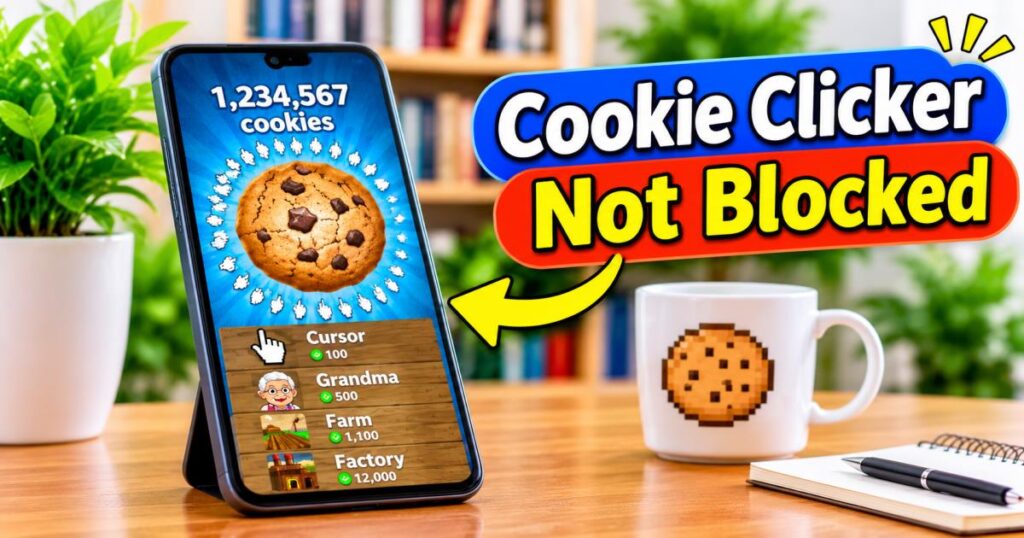
Buying Cursors, Grandmas, Farms, and Factories
Once you collect enough cookies, invest in automated structures. Every duplicate building you buy raises the price of the next unit by 15%:
- Cursor (15 cookies): Clicks the big cookie once every 10 seconds automatically.
- Grandma (100 cookies): Bakes steady batches of cookies and unlocks strong synergy bonuses later.
- Farm (1,100 cookies): Grows cookie crops and unlocks the Garden minigame after you spend one Sugar Lump to level it up.
- Mine & Factory (12,000 / 130,000 cookies): Scale up industrial production and unlock tier multipliers across your bakery.
Understanding Cookies Per Second (CpS)
Your CpS figure right below your total cookie count tracks how many cookies your buildings produce automatically every second. Calculate payback efficiency before buying: purchase whichever building or upgrade delivers the highest CpS gain relative to its price tag.
Unlocking Upgrades and Achievements
New upgrades appear in the upper-right store whenever you reach ownership milestones—typically 1, 5, 25, or 50 units of a building. Achievements unlock automatically as you hit production and clicking goals. Each achievement raises your Milk percentage, which boosts your overall CpS dramatically once you buy Kitten upgrades.
Using Golden Cookies Effectively
Golden Cookies appear randomly across the screen for a few seconds before fading away. Clicking one grants temporary bonuses such as Frenzy (7x CpS for 77 seconds) or Lucky! (an instant payout tied to your current bank). Overlapping a 7x Frenzy with a Click Frenzy (777x click power for 13 seconds) produces massive surges that can equal hours of passive baking.
Understanding Prestige and Heavenly Upgrades
After baking trillions of lifetime cookies, click the Legacy button in the top-right corner to ascend. Ascending resets your buildings and current bank in exchange for Prestige Levels and Heavenly Chips. Each Prestige Level adds a permanent +1% CpS bonus to every future run, while Heavenly Chips buy permanent perks on the astral upgrade tree. Aim for at least 365 to 440 Prestige Levels before your first Ascension so you can afford key starter perks like Legacy, Heavenly cookies, and Persistent memory.
Tips for Increasing Cookie Production
- Hold a bank reserve for “Lucky!” Golden Cookies: Because “Lucky!” payouts scale with your unspent cookies, keep a healthy reserve in your bank during a Frenzy instead of spending down to zero.
- Prioritize Kitten upgrades: Kittens scale with your total achievement count and deliver the biggest single CpS jumps in the mid-game.
- Unlock all four minigames first: Once you bake 1 billion total cookies and start growing Sugar Lumps, spend your first four lumps to reach Level 1 on Wizard Towers (Grimoire), Temples (Pantheon), Farms (Garden), and Banks (Stock Market).
Is Cookie Clicker Not Blocked Safe to Play?
Checking Whether a Website Is Legitimate
Playing cookie clicker not blocked is safe as long as you verify the address before clicking. Look for the HTTPS padlock in your browser bar and confirm you are visiting DashNet, an established educational site like Coolmath Games, or a clean sites.google.com or github.io mirror.
Recognizing Suspicious Advertisements and Redirects
Low-quality clone portals sometimes place deceptive banner ads around the game frame labeled “Play Now,” “Update Chrome,” or “Boost Speed.” Official Cookie Clicker never opens pop-up windows or triggers automatic file downloads.
Avoiding Unknown Downloads and Browser Extensions
Skip any Chrome extension promising to “unblock school games” or “auto-click cookies.” Third-party extensions can read data across every tab you open, and school IT systems flag unauthorized extensions within minutes.
Protecting Personal Information
Cookie Clicker never asks for your name, email address, or password. If a mirror displays a fake Google or Microsoft login prompt before loading the bakery, close the tab immediately.
Understanding Browser Cookies and Saved Game Progress
Despite its title, modern Cookie Clicker saves your progress inside HTML5 localStorage rather than tracking cookies. Because of browser local storage isolation, wiping your browser history—or logging out of a school Chromebook configured to clear session data—erases your bakery unless you saved an external backup code.
Cookie Clicker Not Blocked on Different Devices
Playing on School and Personal Chromebooks
Chromebooks handle Cookie Clicker effortlessly because Chrome runs JavaScript quickly. To keep fan noise and battery drain low on older school Chromebooks, open Options and turn off Fancy graphics, Particles, and CSS filters.
Using Windows and Mac Computers
Windows and Mac users can play free in any desktop browser or buy the official ad-free edition on Steam, which adds Steam Cloud saves, Workshop mods, and music by C418. You can paste your browser export string straight into the Steam version to keep your existing bakery.
Playing Through Android Browsers
While the desktop web page loads inside mobile Chrome on Android, the narrow vertical screen makes clicking store upgrades awkward. Android players can download the official Cookie Clicker app by DashNet on Google Play for a touch-friendly layout and true offline cookie generation.
Playing on iPhone and iPad
On an iPad, turning the screen horizontally gives you plenty of room to play the browser version with touch controls. On an iPhone, Safari loads the web game cleanly, though pinching to zoom in on the left cookie makes tapping much easier.
Common Browser Compatibility Issues
Strict privacy browsers like Brave or extensions such as uBlock Origin occasionally block local storage scripts on unfamiliar mirrors. If your save refuses to stick, whitelist the specific mirror domain in your shield settings.
Common Cookie Clicker Not Blocked Problems and Fixes
Game Website Not Loading
When a page displays ERR_BLOCKED_BY_ADMINISTRATOR, your school firewall or GoGuardian policy has blocked that URL. Switch to an unblocked mirror on GitHub Pages or Google Sites, or wait until you are on a home network.
Cookie Clicker Stuck on the Loading Screen
If you see a dark screen with a spinning cookie that never finishes loading, a school filter is likely blocking the external image sprite sheet while letting the HTML file load. Press Ctrl + Shift + R (or Cmd + Shift + R on Mac) to force a clean reload, or try a mirror that hosts its own image assets locally.
Game Progress Disappearing
Missing bakeries almost always result from cleared browser cache or browser local storage isolation when switching mirror URLs. Protect your progress with a 15-second backup habit:
- Open Options at the top of the center column.
- Click Export save and highlight the entire block of text.
- Copy and paste that string into a Google Doc, Apple Note, or email draft.
- On any new computer or mirror, click Import save and paste your code back in.
Browser Compatibility Problems
Older school Chromebooks running outdated Chrome OS releases may stutter when Golden Cookie storms appear. Disabling Milk, Cursors, and Winklers inside Options cuts graphical load dramatically without slowing down your CpS math.
Cookies Not Increasing Correctly
Chrome and Edge throttle background tabs after a few minutes to save battery, which slows down passive cookie generation while you work in another tab. Drag the Cookie Clicker tab out into its own small browser window so your browser keeps it running at full speed.
Audio and Performance Issues
Modern web browsers mute audio until you click inside the page at least once. If sound effects still refuse to play, check the volume slider in Options or verify that your Chromebook tab is not muted via right-click.
Final Thoughts on Cookie Clicker Not Blocked
Main Features and Gameplay Experience
Over a decade after its release, Cookie Clicker still sets the standard for incremental browser games because its simple clicking hook grows into deep mathematical optimization, minigame management, and rewarding Ascension milestones.
Choosing the Original Game Over Questionable Copies
Play on the official DashNet domain (orteil.dashnet.org/cookieclicker/) or Coolmath Games whenever your network allows it. Official builds guarantee accurate math, full seasonal events, and zero intrusive ads.
Playing Responsibly and Protecting Game Progress
When playing cookie clicker not blocked at school or work, save your sessions for breaks and free periods. Most importantly, export your save string to a personal note once a week—one simple copy-and-paste keeps your bakery safe across every device and mirror you use.
Frequently Asked Questions About Cookie Clicker Not Blocked
Is Cookie Clicker Not Blocked free to play?
Yes. Both the official DashNet browser version and reputable unblocked mirrors are 100% free to play with no subscriptions, microtransactions, or required accounts.
Where can I play the original Cookie Clicker online?
You can play the original, creator-maintained version at orteil.dashnet.org/cookieclicker/ or through authorized partner websites like Coolmath Games.
Can I play Cookie Clicker Not Blocked at school?
Yes, as long as your school permits casual browser games during lunch or free periods and the specific mirror URL is allowed by your district firewall.
Is Cookie Clicker available on Google Sites?
Yes. Several student-maintained game directories on sites.google.com embed playable HTML5 versions of Cookie Clicker inside <iframe> windows, keeping the game accessible on networks where standard gaming sites are filtered.
Can GoGuardian block Cookie Clicker?
Yes. GoGuardian blocks Cookie Clicker whenever a URL matches a district blocklist, contains blocked keywords in its page title, or runs during a teacher-activated classroom Scene.